
Reports, exports and audit history
Choose a filtered report or an Owner export and understand what information each download includes.
Who this is for: Owners and Admins reviewing reports; organization exports are Owner-only.
Reference guide
Choose a task
Screenshots use synthetic examples. Your available actions may differ by role and record state. The written instructions remain complete without images.
Organization export during normal operation
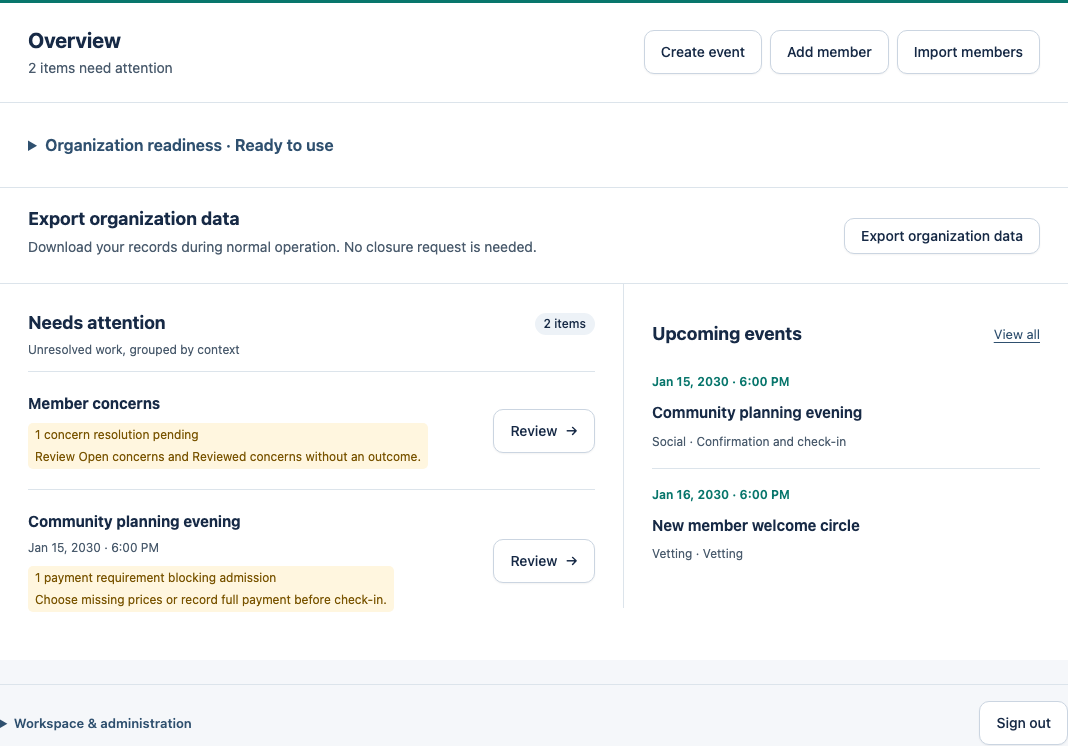
Owners choose Export organization data on the Active Home, then Download Owner exit package. You do not need to request closure first. The package is also available during the permitted Inactive grace period.
The download includes organization records such as members, events, participation, attendance, payments, Vetting, roles and permitted notes and concerns. It is limited to your organization and the export is audited. Store the package securely; downloading it does not configure backups or synchronization.
Find current and historical facts
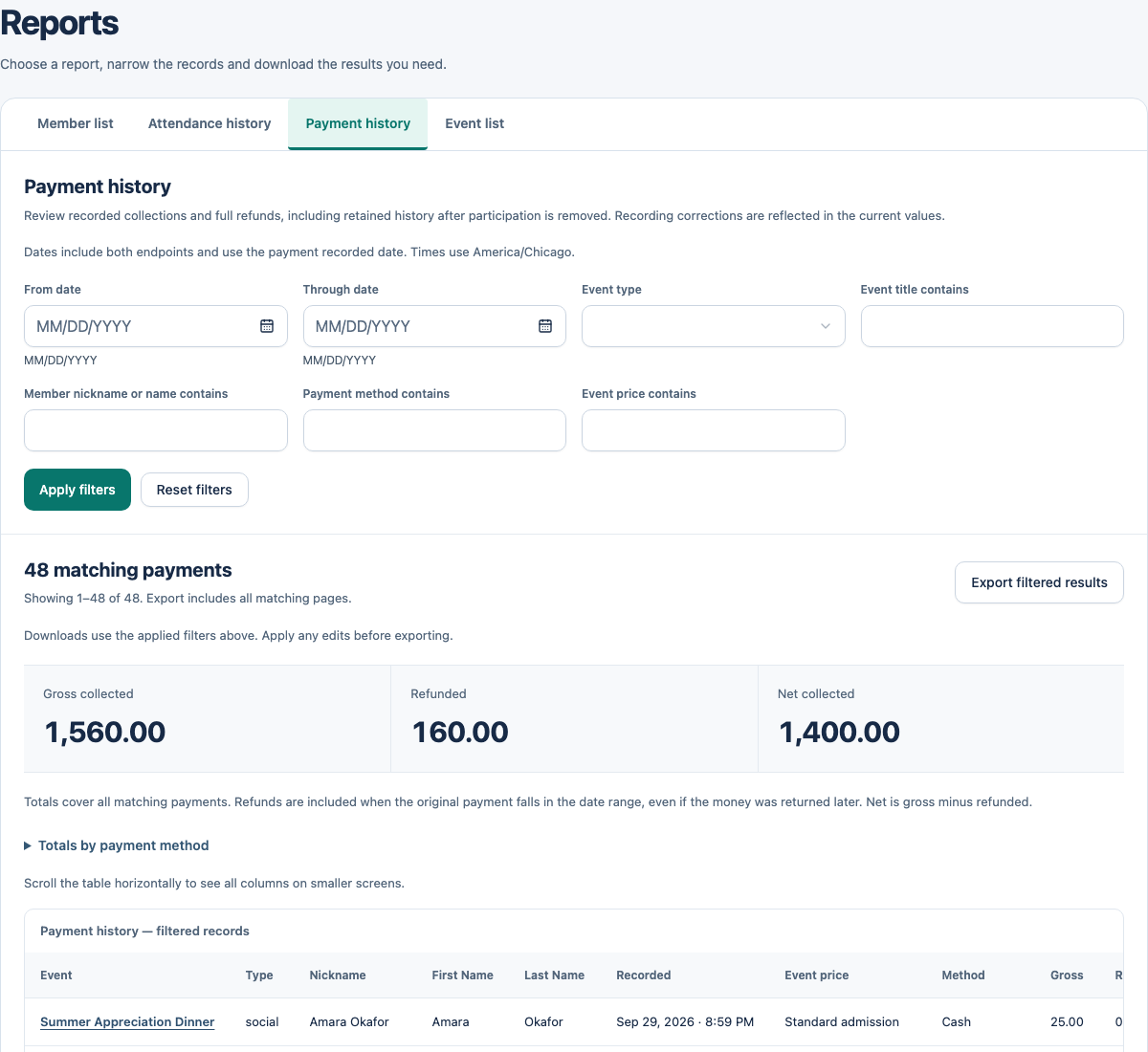
Owners/Admins open Reports and choose Member list, Attendance history, Payment history or Event list. Set filters, then choose Apply filters. Member dates are membership dates; attendance/event dates use organization-local event dates; payment filters use the recorded payment date in that timezone.
Export filtered results downloads every matching page with predefined columns. Apply filter edits before exporting: an unfinished filter change does not change the download. On phones, report records show labelled fields; wider screens use tables. AdminLogix does not provide custom report builders or saved views in V1.
Payment history shows gross collected, refunded and net collected across all matching payments. Net is gross minus full refunds. A later refund remains included when its original collection matches the payment-date filter. Expand Totals by payment method for the recorded-method breakdown.
Open an event or a Member list record for its context, then use Back to report to return to the same applied filters and page.
Use the right export
Operational attendee CSV is available to Owners/Admins for an Open finalized regular event, with response filters. Use historical reports for completed events instead. Removed, denied or currently restricted participation is excluded from the operational attendee export. In the participant workspace, expand Export attendees and review the response filters before downloading.
The Owner exit package is broader and is available while Active and during the 30-day Inactive grace period. New exports are denied at the displayed archive deadline, even if scheduled archival has not run yet. It includes concern content and history. Treat the downloaded package as sensitive and store it only where your organization permits. It is not an automatic restore file.
Concerns and audit have different boundaries
Routine report exports exclude concern content. The standalone organization audit CSV includes concern action metadata but not factual summaries or narratives. The Owner exit package includes those concern records and their history.
Organization audit viewing/export is Owner-only. Super Admin platform permission does not give default access to organization records. Audit history is append-only and is separate from ordinary reports.
Owners open Organization audit from Home. Filter by date, actor, action or record, then choose Filter audit. Browse compact rows within the scrollable list. Open Details for the full record and recorded before and after values, then close the panel to return to your place. Export matching records as CSV uses all applied filters, not just the visible page. Super Admins use the separate Platform audit from the platform dashboard.
If a download fails
Check current access, organization lifecycle and applicable event state, then retry from the appropriate screen. An export-start audit records initiation, not proof that a file arrived. Generated files are not retained by AdminLogix for later retrieval.
Example: understand this in practice
Maya needs attendance for a date range and uses a filtered report. An Owner exit package serves a broader purpose and includes sensitive concern information.
Names and situations are fictional.